Start with one 9:16 composition for TikTok, Reels and Shorts. Add 4:5 or 1:1 only for placements that need them. Upload once, inspect every selected layout and save the set as a draft; a separate platform name does not require a separate AI generation.
Screenshots show the current workspace. Click any image for a closer look.
| Ratio | Use it for | Before publishing |
|---|---|---|
| 9:16 | TikTok, Reels and Shorts | A shared vertical starting point; review captions and interface overlays on each platform. |
| 4:5 | Portrait feed placements | Add when the specific feed or ad placement calls for a taller feed asset. |
| 1:1 | Square feed placements | An optional square composition for placements that accept it. |
| 16:9 | Widescreen video and website placements | Add for a landscape destination; it is not part of the three-format starter selection. |
Start with one vertical version for TikTok, Reels and Shorts
Choose formats by placement, rather than making a separate AI version for every platform name. A 9:16 canvas is a practical shared starting point for these vertical video surfaces. TikTok and Meta recommend vertical 9:16 creative in their advertising guidance, and YouTube supports vertical uploads as Shorts. A shared shape does not make a file ready for every destination: check each platform's current duration, audio and upload requirements. Add 4:5 or 1:1 only when you also need a feed version.
Open the social formats and upload your source once
Use Preview social video formats to open the aspect ratio changer with 9:16, 4:5 and 1:1 already selected. Upload a clean MP4, MOV or WebM clip, or try the prepared example. Remove optional formats you do not need; add 16:9 if you also have a widescreen destination. One source supplies all the selected layouts, so there is no need to upload the same clip for each platform.
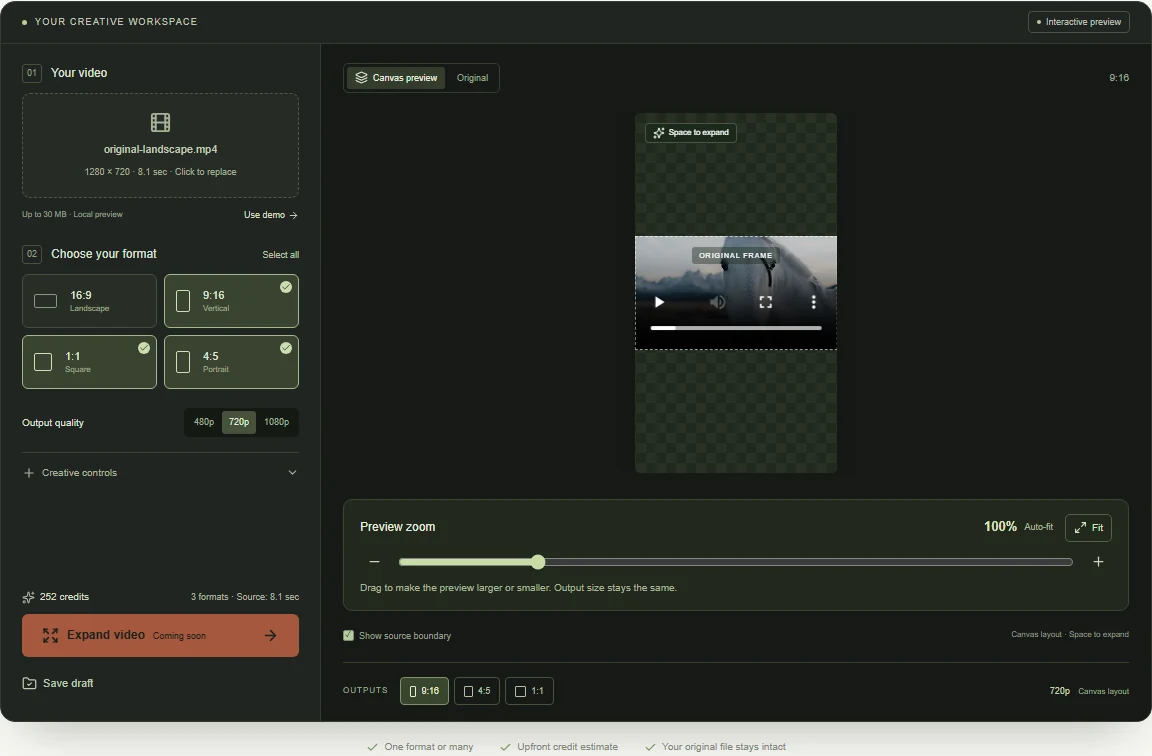 View full-size screenshot
Choose how to adapt the shot without losing important content
If a conventional crop keeps the action and text visible, it may be enough. When a crop would cut off a product, person or caption, fitting the whole source into the new ratio preserves its visible area but leaves space around it. AI video expansion can generate scenery in that space. Our canvas shows where expansion would be needed; it does not predict an AI result for your upload. The prepared Original and Expanded examples let you inspect real model output before choosing an approach.
Review each ratio before saving your social video set
Switch between the selected outputs and play the clip, checking faces, product labels and existing subtitles throughout. Use Preview zoom to inspect details; it only changes the display size. Source size changes the composition itself. A wide shot fitted into 9:16 can make the subject small, so decide whether keeping every edge is worth that tradeoff. Review the credit estimate for your selected formats, then save a composition draft. Return to My videos to reopen your saved composition.
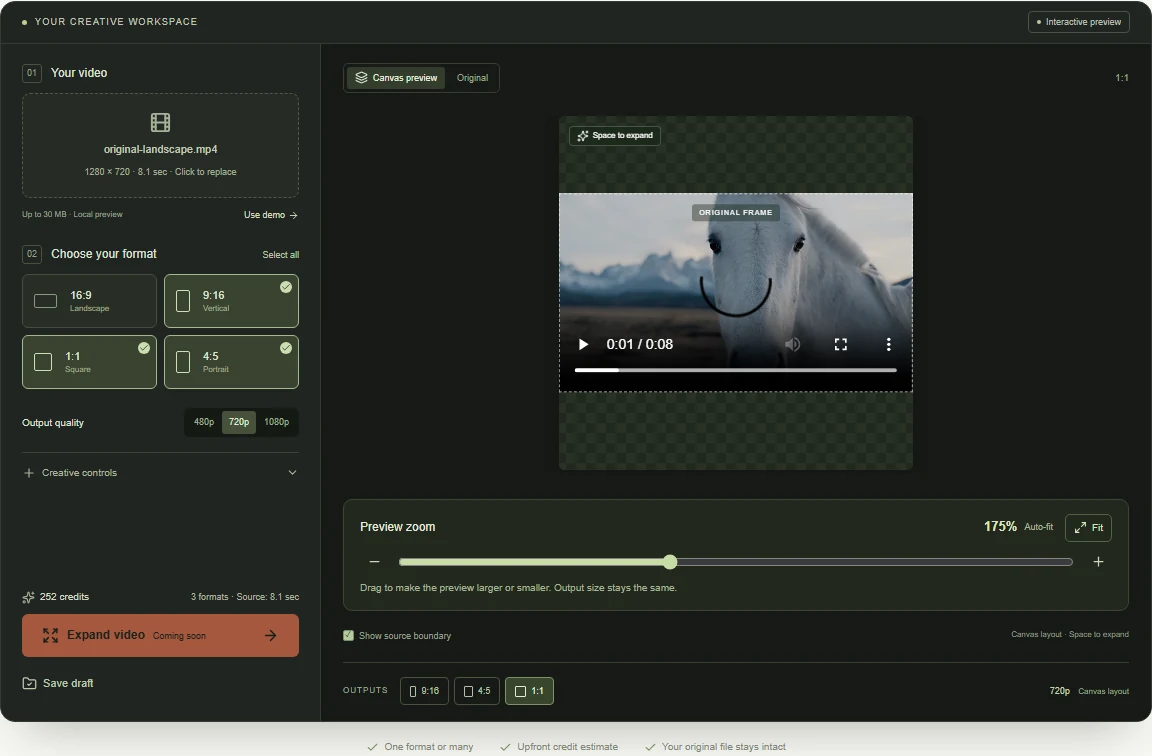 View full-size screenshot
Check captions, sound and placement previews before publishing
Once finished videos are available, review each in the destination's publishing or ad preview. Keep essential text clear of buttons, captions and other interface overlays. Confirm sound and music rights separately; the prepared AI examples here are silent. Do not assume that the same caption position or music track works on every platform. This workflow prepares aspect-ratio compositions; it does not automatically add subtitles, write platform-specific hooks or publish to social accounts.
Common questions
Do TikTok, Reels and Shorts need three separate video sizes?
A 9:16 composition can serve as the starting layout for all three. Review each destination's upload rules, captions, music rights and interface overlays separately.
Can I create all social video formats in one click?
The guide's CTA opens 9:16, 4:5 and 1:1 together. Upload once, compare all three compositions and save the set to My videos.
How do I repurpose a landscape video without cropping?
Fit the full source inside a vertical canvas and check the remaining space. Padding preserves the picture without new scenery; AI expansion can create surroundings, but the generated result needs review.
Check the platform guidance
Reviewed October 25, 2026. Advertising and organic upload requirements can differ.
- TikTok creative best practicesVertical 9:16 ad creative, sound and keeping content clear of the interface.
- Meta's Instagram and Facebook Reels guidance9:16 Reels ad creative, audio and safe zones.
- YouTube: get started creating ShortsUploading vertical videos and preparing Shorts. Check current eligibility before publishing.
One clip. Your social formats, together.
Open 9:16, 4:5 and 1:1 in one workspace. Upload your clip, remove any formats you do not need and compare each composition.
Upload your clip, shape the canvas and save your composition.